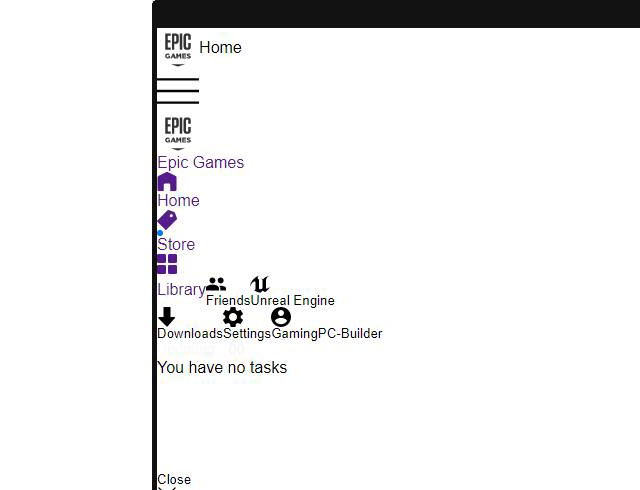

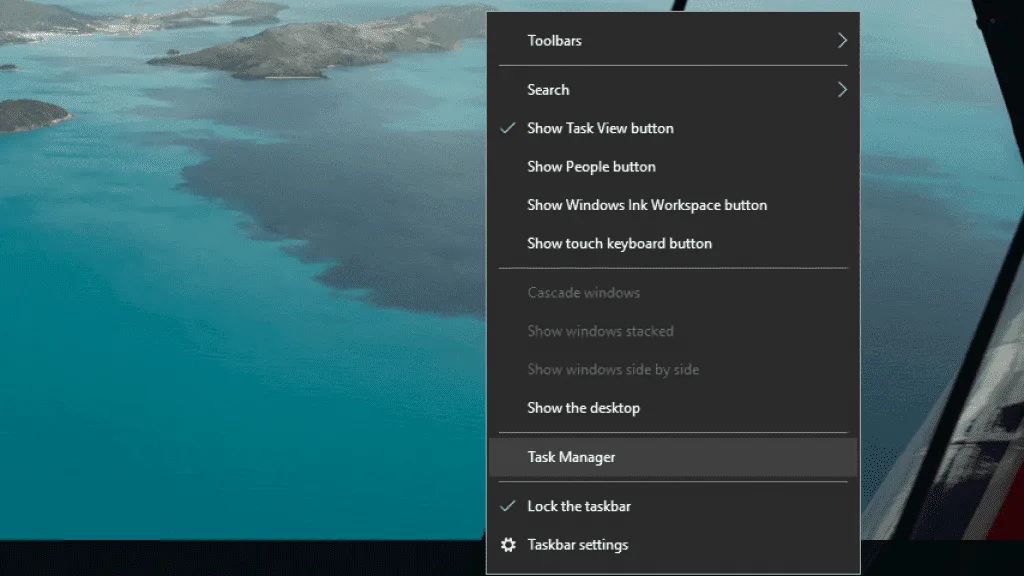
1. Make sure the Epic Games Launcher is not running. Open Task Manager by pressing Ctrl, Shift, and Esc keys simultaneously, or by right-clicking the taskbar then click Task Manager.
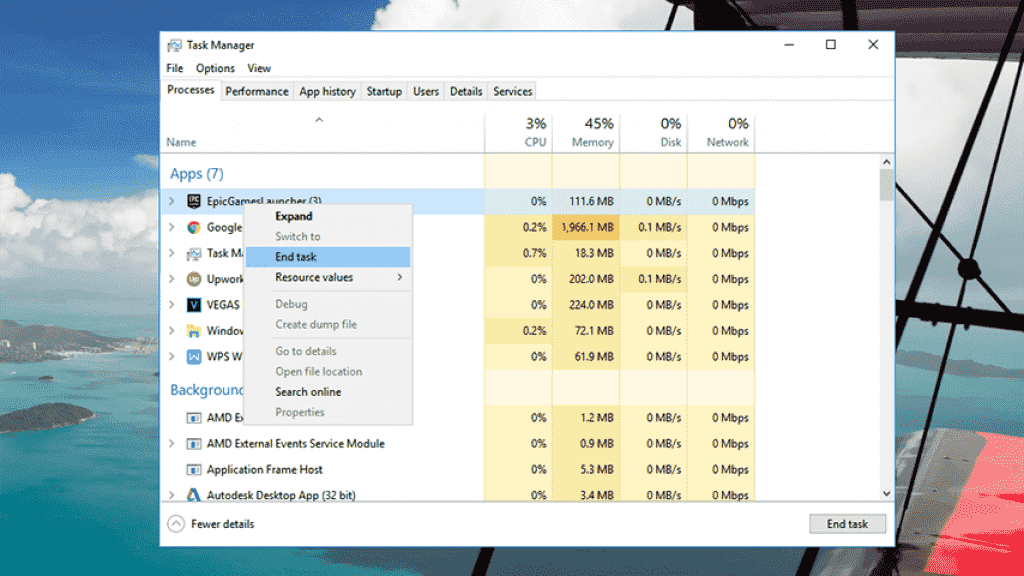
2. In the Processes tab, look for "EpicGamesLauncher", right-click on it, then click End Task.
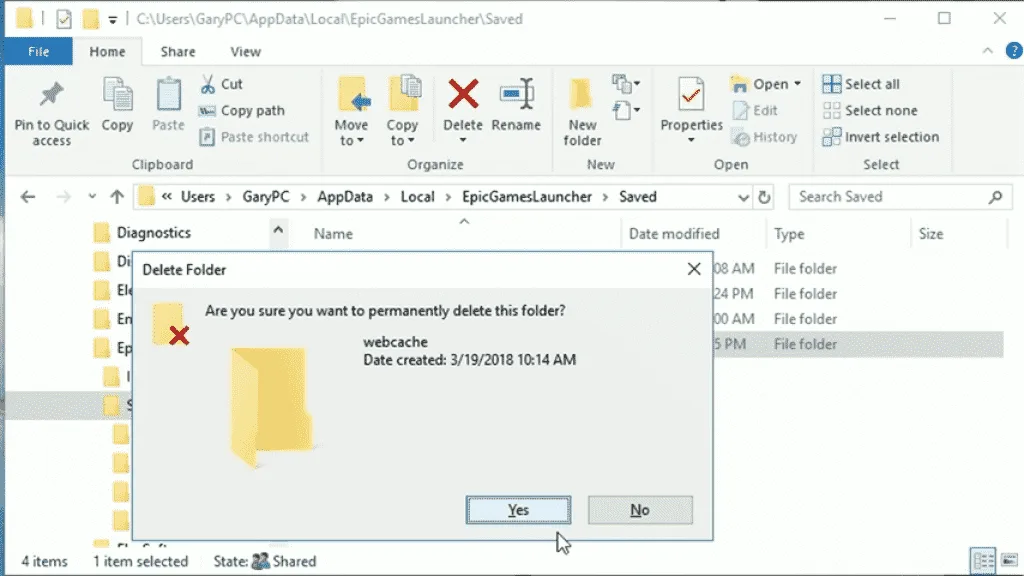
3. Press the Windows key and E simultaneously, a Windows Explorer will appear. Go to "C:\Users\YOUR-PC-NAME\AppData\Local\EpicGamesLauncher\Saved\"
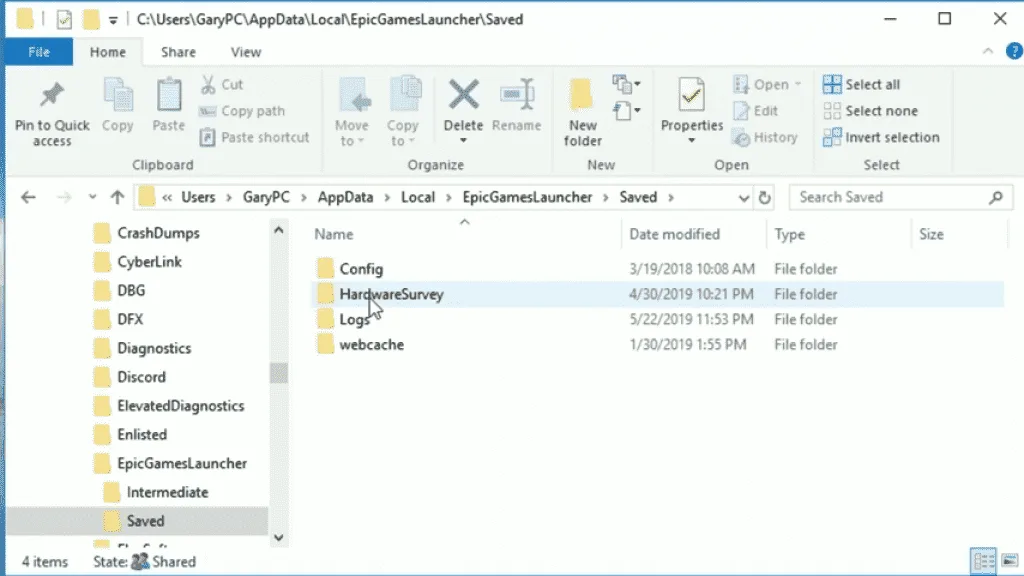
4. Delete the "webcache" folder.
5. Launch the Epic Games Launcher and sign-in. Things should be OK.
Comments (63)
- Kevin Craftwhen i go to delete the folder it wont do it, do you know why
- Mikey A.For Windos 10 with Bugged White Epic Launcher - Close Epic icon in Taskbar - Down right next to speaker volume - Show hidden icon's right click on the Epic Icon then mark Exit - Open Explorer = Windos Key + E Key - Open This PC - Open (C) Harddrive - Open User - Open User Name < your computer name - Open View - Show hidden files - Open AppData - Open Local - Open EpicGamesLauncher - Open Saved - Open Webcatch - Mark Everything then Delet - Close Explorer - Restart Epic Icon
- juhaYou need to close down the EPIC GAMES LAUNCHER from task manager because the folder is reserved by windows if that application is running.
- adminWhat error message are you getting when trying to delete it? Have you double-checked in the task manager that the app isn't still running?
- Thank you so much. It worked perfectly
- markusi can't do stage 4 i just can't find it. can someone help me? pls reply if u know why nd if u can help me please.?
- stevethank you so much
- Thank you!! This worked for me!
- please help when is earch the link nothing comes up
- Ghadi Ghaddari do everything up to local but it says i dont have epic games launcher but its clearly right there
- mahdithanks man worked for me
- i have a custom hardrive
- worked great thanks
- thank u so much !!!!
- thank you - was annoying!
- 100/100, worked :)
- worked perfectly ty
- Thanks mate worked just fine
- Thank you kindly worked perfectly
- worked like a charm thanks
- DonnoDude how to fix Fortnite white screen cuz epic games launcher is ok
- JulesDid you ever get this worked out? New PC and the launcher is fine I only have problems with fortnite.
- Tanks for the solution. You are my hero of the day ;)
- Its worked, Thx
- wow, epic launcher just messed up itself like this out of nowhere :D Good job...maybe leave this job for Steam
- you fucking genius
- Thank you so much you are the GOAT i love you no homo
- Sorry found it Thanks
- Holy molly you a genius man, damn it
- Thank You so much! This helped me a lot :)
- Thx
- Brandon D RosaWhen i go to delete the file it says it open in another program but i dont have any programs open does anyone know how fix this like i connect epoc games and stram worked fine until i closed the app and open epic then white screen now cant even delete file
- Chirag PranamiThank You :)
- Ja'CrispyBrandon I'm having the same issue mate. Says it's open when there is nothing running in the background. I'm going to let the Fortnite update download and then reboot the computer and try again. I'll let you know if it works.
- Ja'CrispyI can confirm it worked. Even if you have closed epic games. If you have a download pending on the launcher it will not let you delete the cache. As soon as my download finished I ended all tasks with task manager, then I tried again and it worked first time. Hope this helps someone.
- unknownamazing it's working!
- Ok, two things. One: there is no "App Data" folder in that directory for me. Two: as of the latest update there is also no longer a folder in any of the Epic Folders named "webcache". any ideas?
- GaryAppData folder is hidden by default. Do this to access hidden folders --> https://youtu.be/GNLfVosK5mg
- thank u
- it doesnt let me do windows + E
- GaryDouble click the My Computer icon in your desktop.
- worked perfectly first time. great and direct instructions. well done and thank you.
- tea leyAwesome worked for me ( username - not PC name) thanks so much !
- Thank's
- yes because you first have to end task of epic games in task manager
- tungstenfluxThanks!
- RazvanixThank you man i'm really thankfull
- thanks a lot! It worked
- batuatlasthank u
- soushiyanthey man i cant find the file pls help meeee
- jerwinHow to access AppData Folder - UNHIDE Hidden Folders --- https://youtu.be/GNLfVosK5mg
- chrisi did all those steps and the launcher now loads properly BUT i lost every game i had downloaded from the epic games launcher so i have to re-download 250+ GB :(
- chriswhat did i do wrong?
- Mattthanks this worked perfectly
- MarcusThanks this worked. Only odd thing was the Deleting the file took a while, number hung on 99% for some time,
- tedcheers man, had so many fecking issues because of this cache.. remembering this
- JorgeI dont have the webcache on the folder at all... What should I do?
- Hamzahello when i launch epic games launcher it just appears blank can i tried deleting cache too but it does not work can anyone help me with this
- AnonymousIt keeps going back, even after i have deleted it
- i delete it but it still not working and the webcache file keep appear even i already delete it
- You're a genius Omg!! Would leave a like if there was an option to leave one
Comments are closed.